100% offline PDF app — your files never leave your deviceQuestions? info@paldomzsystems.com
🔒 100% Offline · Private PDF App

Edit your PDFs without uploading them to anyone

Merge, split, sign, compress, organize and convert PDFs — even PDF to Word — entirely on your own device. Nothing is uploaded, nothing is stored online. Buy once, own it forever.
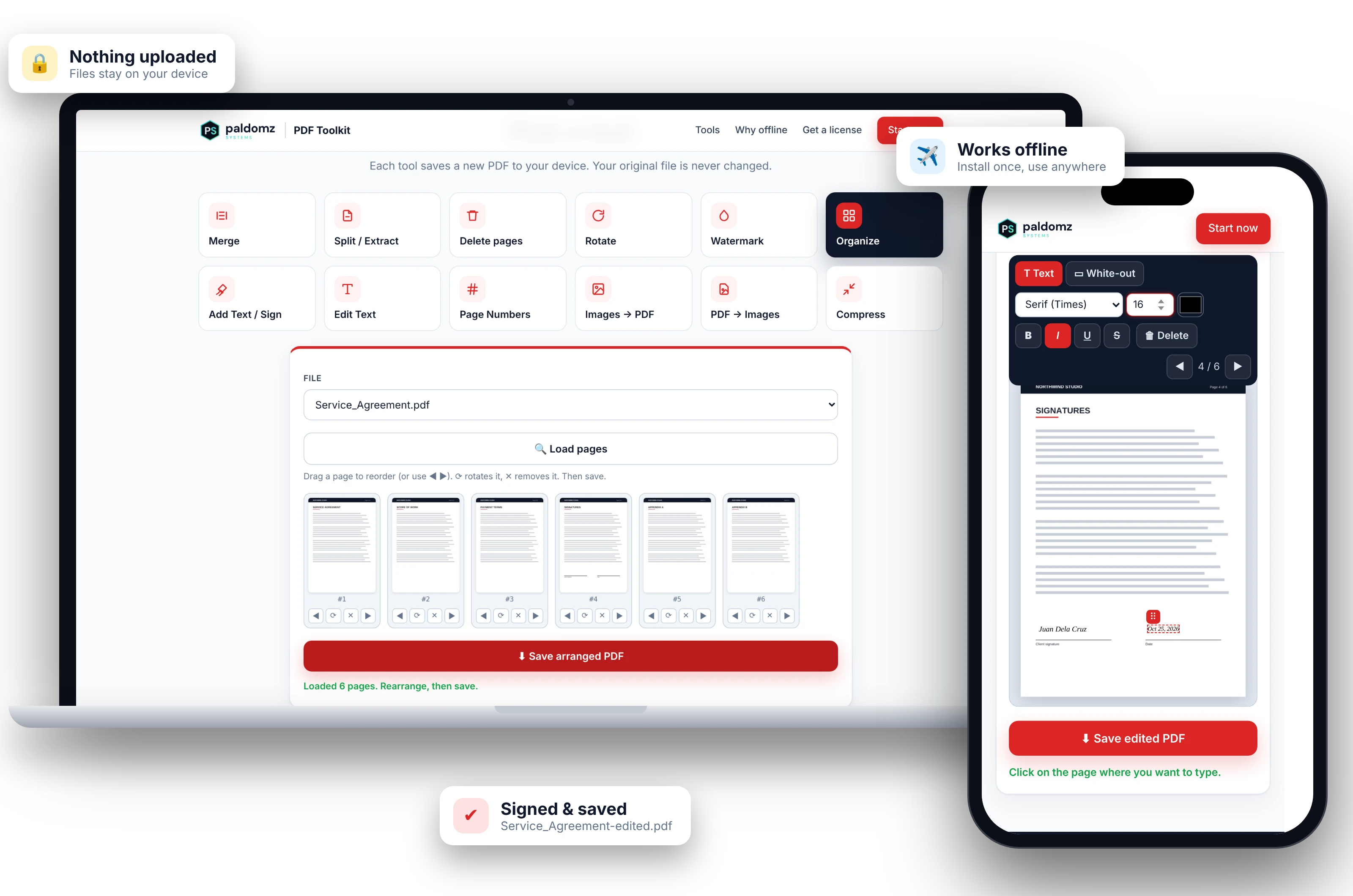
Paldomz PDF Toolkit on a laptop and a phone: organizing the pages of a contract and typing a signature and date — all offline
$29.99 one-time
✓ No subscription✓ Lifetime✓ 5 devices✓ Free updates
★ Get PDF Toolkit — $29.99
🔒 Secure checkout by Dodo Payments · card & global payment methods · your license key is emailed instantly

Already purchased? Open the app & paste your key →

🔒 Private by design: merge, sign and compress without uploading a single file.See all 13 tools
🔒

Your files never leave your computer

Most “free” PDF websites make you upload your private documents — bank statements, contracts, IDs, payslips, medical and government forms — to their servers before you can touch them. That uneasy feeling is justified. Paldomz PDF Toolkit runs entirely on your own machine: nothing is uploaded, nothing is stored online, and it keeps working with your WiFi switched off. The only time it needs internet is once, to activate.

Features

Everything you need, in one app

Thirteen PDF tools in a single, clean, offline app — no account, no ads, no learning curve.

🔗

Merge

Combine several PDFs into one — drag to set the exact order.

✂️

Split & Extract

Pull out just the pages you need (e.g. 1-3, 5, 8-10).

🗑️

Delete pages

Remove the pages you don’t want and save a clean copy.

✍️

Add Text / Sign

Click anywhere to type your name & date or drop in a signature — perfect for BIR & government forms.

📝

Edit Text

Click on the page and type with a cursor — bold, italic, underline, strike-through, 3 fonts, any color. Drag text into place, white-out old words.

🗜️

Compress

Shrink big scanned or image-heavy PDFs so they email easily.

🔄

Rotate

Fix sideways or upside-down pages — all pages or a range.

💧

Watermark

Add a diagonal text watermark (size, opacity, angle).

🔢

Page Numbers

Add page numbers — choose position, start number, “Page X of N”.

🧩

Organize

Visual page thumbnails you drag to reorder, rotate or delete.

🖼️

Images → PDF

Turn JPG/PNG photos into a single PDF (fit / A4 / Letter).

📸

PDF → Images

Save each page as a PNG or JPG image.

📄

PDF → Word

Turn a PDF into an editable Word file (.docx) — text, headings, bold, tables and pictures — without uploading it anywhere.

📶

Install & go offline

Add it to your home screen or desktop and use it with no internet.

How it works

How it works

From purchase to working app in under two minutes.

1

Buy securely

Checkout with card or your preferred method through Dodo Payments.

2

Get your key

Your license key is emailed the moment your payment clears.

3

Unlock & install

Open the app, paste your key, install it to your device — offline forever.

FAQ

Questions

Is it really 100% offline?

Yes. All PDF work happens inside your browser, on your device. Your files are never uploaded or stored on any server. The only time it needs internet is once, to activate your license — after that it works fully offline.

What do I get for $29.99?

A lifetime license to the Paldomz PDF Toolkit app, activatable on up to 5 of your own devices, plus free updates. One payment — no subscription, ever.

Which devices does it work on?

Any modern browser on Windows, macOS, Android or iOS (Chrome, Edge, Safari, Firefox). You can install it to your home screen or desktop for one-tap, offline use.

How do I get my license key?

It’s emailed to you automatically right after checkout. Paste it into the app’s unlock screen. Can’t find it? Check your spam folder, or email info@paldomzsystems.com.

Can it convert PDF to Word?

Yes — offline. It rebuilds the text, paragraphs, headings, bold / italic, simple tables and pictures into an editable .docx that opens in Word, Google Docs or LibreOffice. It works best on PDFs made from Word or other software; complex layouts (multi-column pages, forms) may need a little tidying. Scanned pages have no real text, so they come through as pictures.

Can it unlock password-protected PDFs?

No. Removing someone else’s PDF password isn’t something this app does.

What’s your refund policy?

Because this is instant-access digital software, all sales are final. But if anything doesn’t work, message me first at info@paldomzsystems.com — I’m a small maker and I’ll make it right.

Keep your documents yours

Stop uploading private files to strangers’ servers. Own a PDF toolkit that runs entirely on your device.

★ Get PDF Toolkit — $29.99
Please note: Paldomz PDF Toolkit is independent software and is not affiliated with, endorsed by, or connected to Adobe, Smallpdf, iLovePDF, or any other company. “PDF” is an open, standard file format. The app processes files locally in your browser; you are responsible for keeping your own backups of important documents. Personal-use license, non-redistributable — please don’t share or resell your key or the app.